• Feeling isolated? You're not alone.

    Join 20,000+ people who understand exactly how your day went. Whether you're newly diagnosed, self-identified, or supporting someone you love – this is a space where you don't have to explain yourself.

    Join the Conversation → It's free, anonymous, and supportive.

    As a member, you'll get:

    • A community that actually gets it – no judgment, no explanations needed
    • Private forums for sensitive topics (hidden from search engines)
    • Real-time chat with others who share your experiences
    • Your own blog to document your journey

    You've found your people. Create your free account

laptop thermal pads

agateboy

not too sure what's going on
I have Legion 16APH8, as I was cleaning the fans I noticed the pink thermal pads seemed to be completely dry. The grey pads on the bottom cover are fine. But it *Looks* like the CPU and GPU pink thermal pads are all dried out to me. This shouldn't be happening right? The pads are way better than paste. Any help would be awesome! Thank you!
 
Maybe send a photo to the manufacturer or a local PC repair shop to query.

Where does the laptop normally sit when in use? I always used a USB laptop cooler to allow for ventilation and prevent overheating.

1710178222895.webp


Ed
 
Maybe send a photo to the manufacturer or a local PC repair shop to query.

Where does the laptop normally sit when in use? I always used a USB laptop cooler to allow for ventilation and prevent overheating.

View attachment 127675

Ed
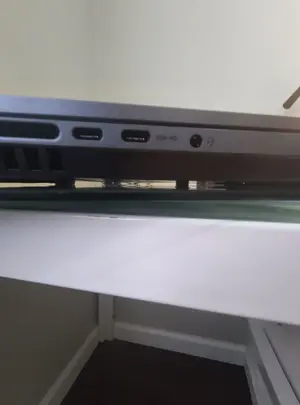
I have a piece of glass I set it on, I have also raised the bumpers on the bottom quite a bit. There is a good amount of room. Not sure if you can tell from the picture.
 

Attachments

  • IMG_20240311_124114515.webp
    IMG_20240311_124114515.webp
    61.3 KB · Views: 23
Sadly this is the bane of all laptops, their inability to dump heat.

So many people buy a laptop - mobile device - and it spends it's entire life on a desk in their home. If that's the case you're far better off with a desktop computer. And don't go for something in a small compact case or a slimline case, they have exactly the same trouble as laptops.

I have a piece of glass I set it on, I have also raised the bumpers on the bottom quite a bit. There is a good amount of room. Not sure if you can tell from the picture.
The clearance under your laptop looks good. Unfortunately glass is an insulator. It won't interfere very much as your laptop sits fairly high but if it was on a metal plate the metal would act as a heat sink drawing more heat away more quickly.
 
My fan is choking, but upon bringing up the monitoring app, it spins a lot more than I thought. The ventilation stand produces a large volume of flow, but it's very diffuse, so if I keep overheating, I might tape a piece of paper over it with a cutout only for the fan intake in the bottom of the machine, and that should direct the flow better.
 
My fan is choking, but upon bringing up the monitoring app, it spins a lot more than I thought. The ventilation stand produces a large volume of flow, but it's very diffuse, so if I keep overheating, I might tape a piece of paper over it with a cutout only for the fan intake in the bottom of the machine, and that should direct the flow better.
I suspect this would help in my situation as well. I noticed last night there is basically nothing to direct the air into the fans except the fans them selves. And turbines work far better with some kind of shroud or velocity stack
Sadly this is the bane of all laptops, their inability to dump heat.

So many people buy a laptop - mobile device - and it spends it's entire life on a desk in their home. If that's the case you're far better off with a desktop computer. And don't go for something in a small compact case or a slimline case, they have exactly the same trouble as laptops.


The clearance under your laptop looks good. Unfortunately glass is an insulator. It won't interfere very much as your laptop sits fairly high but if it was on a metal plate the metal would act as a heat sink drawing more heat away more quickly.
Think I'm going to just have to get a metal stand like @Raggamuffin suggested. I use it everywhere in my home including not in my home.

This laptop has introduced my to computers so I would like to build my own soon. But every day I wait GPU's keep getting pricier and pricier for future work stations.

This RTX4060 and ryzen 7 are more than enough for my gaming needs though. The temps haven't gotten any worse since new, and stay steady at 158-160° F after hours of gaming at 80FPS 1440p
 
Last edited:

New Threads

Top Bottom