
• Feeling isolated? You're not alone.

    Join 20,000+ people who understand exactly how your day went. Whether you're newly diagnosed, self-identified, or supporting someone you love – this is a space where you don't have to explain yourself.

    Join the Conversation → It's free, anonymous, and supportive.

    As a member, you'll get:

    • A community that actually gets it – no judgment, no explanations needed
    • Private forums for sensitive topics (hidden from search engines)
    • Real-time chat with others who share your experiences
    • Your own blog to document your journey

    You've found your people. Create your free account

Any advice for reducing visual distractions on websites?

Here's a specific example:

Yesterday I was looking for a marinade recipe. On this site (and so, so many others) Basic Marinade for Stir-Fried Meats Recipe, when I open the page a completely unrelated video appears in the sidebar "How to make the best American meatballs". The video locks in place and obnoxiously follows me when I scroll down to find the ingredient list, so I can't ignore it. I have to stop reading and take the time to locate the pause button before I can continue looking at the ingredient list. But wait, I can't pause the video immediately.. I have to wait for it to finish loading and start playing first. I can't read the recipe in the meantime because of the spinning loading icon constantly pulling my attention back to the video box. Since it's annoying to just sit and look a loading circle (even just for a few seconds), I flip to something else, but then I get sidetracked and many times I never make it back.

If this was happening occasionally, fine, I'd wait and pause the video and carry on.. but it's constant! Many websites I just click away from immediately because there is too much clutter from "give us your email" popups, videos, ads that sneak through the blocker (or sites that don't let you access their content without turning the blocker off), and those god forsaken cookie notices.

Regarding the suggestions to use another browser: I appreciate the advice, but I like Chrome and don't want to switch. If there isn't a solution for Chrome at the moment, which it doesn't sound like there is, then I will have to accept that unfortunately this is just how it is to use the internet these days.

I visit SeriousEats regularly too.. Good recipe site, I think. :)
So I already had that one setup in LittleSnitch.
When I hit that link, LittleSnitch is currently blocking ~7 of the outgoing connections that SeriousEats wanted to make to load that page (Easily could have been more to begin with, but blocking some ends up blocking subsequent outgoing connections too). I don't get the video loading at all.. All I get is this:
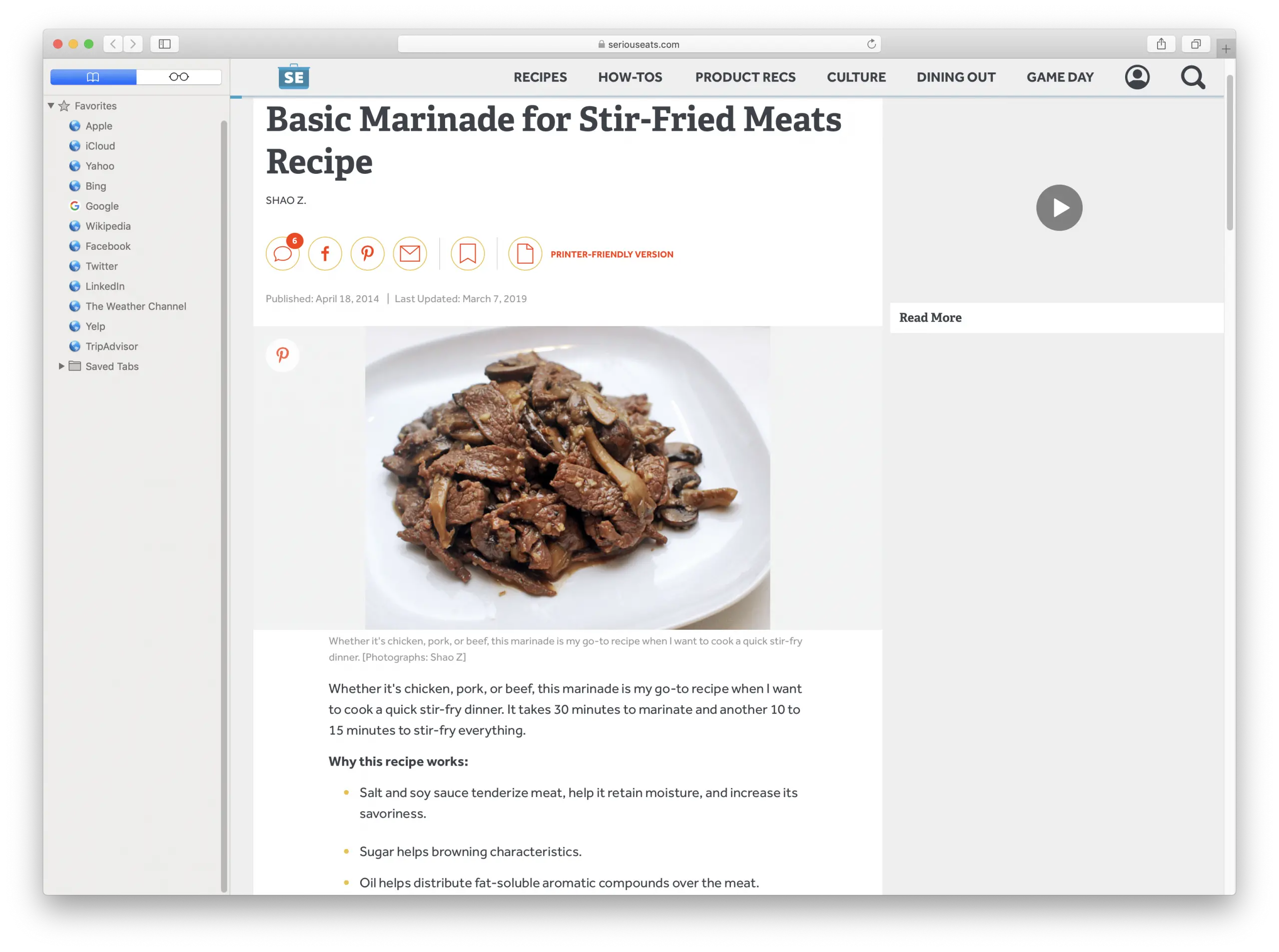
Screen Shot 2020-01-30 at 8.29.54 AM.webp

I'd be interested to know how it looks with the JustRead extension! While LittleSnitch is great for OSX, it doesn't help when I reboot in Windows mode. And then I have the same irritations with browsing the internet..
 
I visit SeriousEats regularly too.. Good recipe site, I think. :)
So I already had that one setup in LittleSnitch.
When I hit that link, LittleSnitch is currently blocking ~7 of the outgoing connections that SeriousEats wanted to make to load that page (Easily could have been more to begin with, but blocking some ends up blocking subsequent outgoing connections too). I don't get the video loading at all.. All I get is this:View attachment 60017
I'd be interested to know how it looks with the JustRead extension! While LittleSnitch is great for OSX, it doesn't help when I reboot in Windows mode. And then I have the same irritations with browsing the internet..

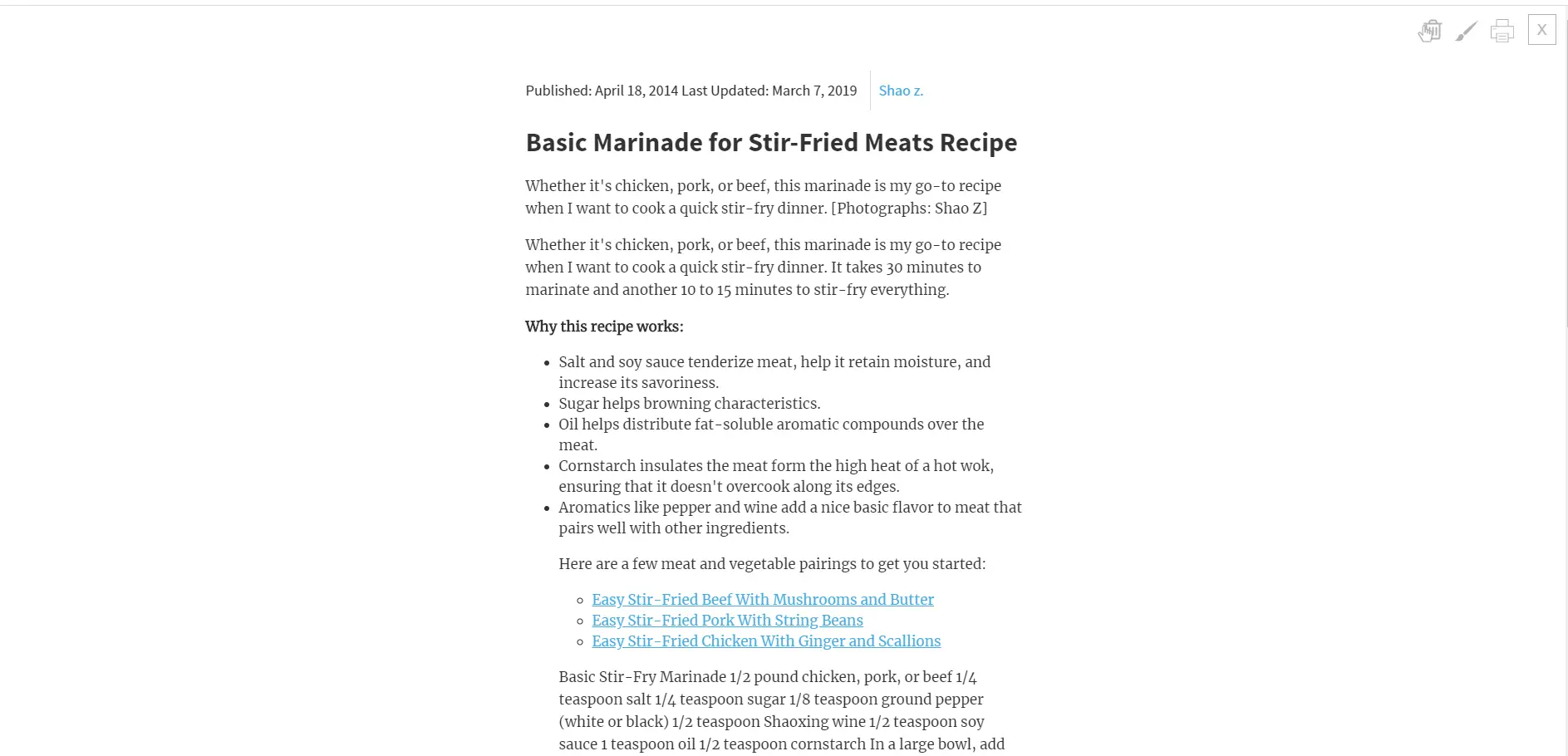
Here's how it looks with JustRead. So much cleaner than the original, but yours is a lot nicer with the formatting and photos still showing up.

upload_2020-1-31_8-56-7.webp
 
I’m on iOS, but other devices have a similar thing: offline mode. When I save something to read for later it downloads the site to my phone; then, if I turn off the internet and open the site, I get the content and not the ads. I think because the ads have to be updated? It’s not perfect- every once in a while the whole website won’t load. But when I want to go on a reading binge on a site with really bad ads, it makes the pages readable.
 
Here's a specific example:

Yesterday I was looking for a marinade recipe. On this site (and so, so many others) Basic Marinade for Stir-Fried Meats Recipe, when I open the page a completely unrelated video appears in the sidebar "How to make the best American meatballs". The video locks in place and obnoxiously follows me when I scroll down to find the ingredient list, so I can't ignore it. I have to stop reading and take the time to locate the pause button before I can continue looking at the ingredient list. But wait, I can't pause the video immediately.. I have to wait for it to finish loading and start playing first. I can't read the recipe in the meantime because of the spinning loading icon constantly pulling my attention back to the video box. Since it's annoying to just sit and look a loading circle (even just for a few seconds), I flip to something else, but then I get sidetracked and many times I never make it back.

If this was happening occasionally, fine, I'd wait and pause the video and carry on.. but it's constant! Many websites I just click away from immediately because there is too much clutter from "give us your email" popups, videos, ads that sneak through the blocker (or sites that don't let you access their content without turning the blocker off), and those god forsaken cookie notices.

Regarding the suggestions to use another browser: I appreciate the advice, but I like Chrome and don't want to switch. If there isn't a solution for Chrome at the moment, which it doesn't sound like there is, then I will have to accept that unfortunately this is just how it is to use the internet these days.
JustLooked at Trader Joes and Walmart both have recipes no adverts blinking or making noises
 
Top Bottom