
In my 3rd Entry I will be talking about Keyboard Sizes. In the 2nd Entry you may have seen some strange looking keyboards without the Numberpad Section, and one in the attached video's thumbnail without the Arrow keys even, along with the just as strange Cable that goes in 2 Directions. If you had any questions about what those were and why they're a thing, your Answers will be found here!
As I've said before, Keyboards come in different sizes for niche needs. Some people like smaller keyboards because they rarely use a part of their keyboard or they simply want more mouse room.
I will explain these as a Hierarchy for a simpler understanding:
100%/Full Size
80%/Tenkeyless (or TKL)
60%/Compact
Other
"Other" which consists of 75%, 40%, Numpads, and Split keyboards along with Ortholinear.
Now for pictures showing examples of each mentioned.

A Duck One 2 Skyline, a 100%/Full Size keyboard.

A Filco Majetouch 2, a 80%/Tenkeyless (or TKL)

A Vortex POK3R (Poker 3), a 60%/Compact keyboard

A Ducky Pocket Numpad (Fun Fact: This doubles as a Calculator!)

A Vortex ViBE, a 78% (Note the missing Navigation Cluster (Arrow keys, Home, Delete, etc)
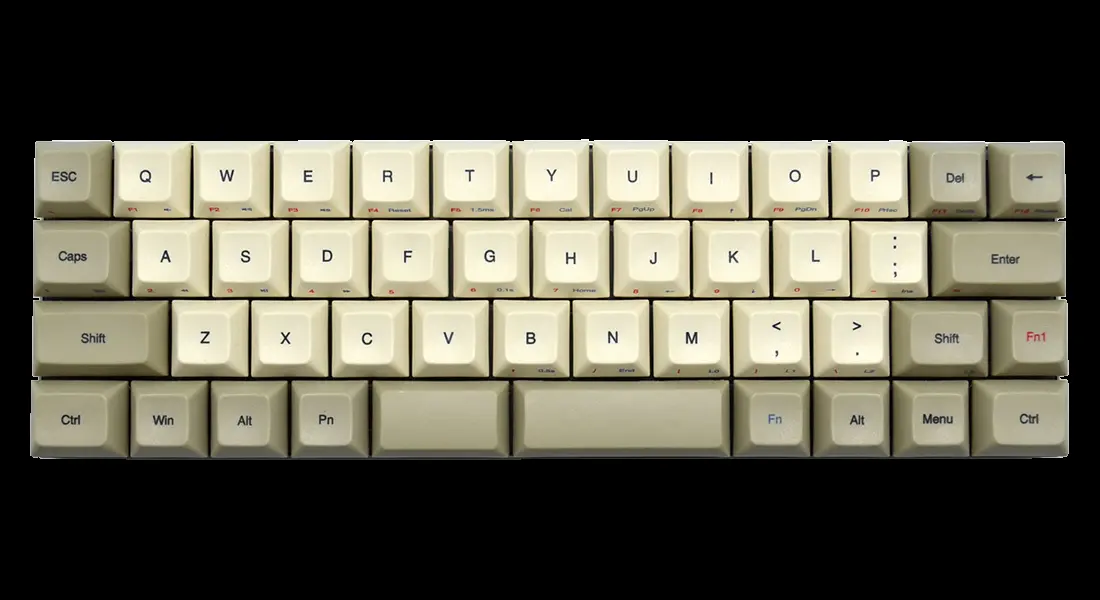
A Vortex Core, a 40% Keyboard

An Ergo Dox Split Keyboard (Credit to u/cgrums on Reddit and Source: Carbon Ergo Dox)
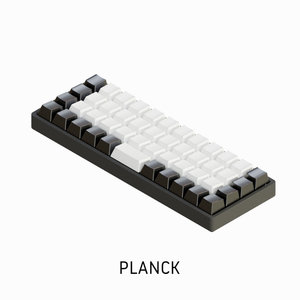
An Ortholinear "Planck" Keyboard from OLKB (Ortholinears have Keys which are in a straight column and row, not staggered like traditional keyboards)
Entry 1: Mechanical Keyboards (Entry 1): An Introduction
Entry 2: Mechanical Keyboards (Entry 2): Switches, Customization, and Building
As I've said before, Keyboards come in different sizes for niche needs. Some people like smaller keyboards because they rarely use a part of their keyboard or they simply want more mouse room.
I will explain these as a Hierarchy for a simpler understanding:
100%/Full Size
80%/Tenkeyless (or TKL)
60%/Compact
Other
"Other" which consists of 75%, 40%, Numpads, and Split keyboards along with Ortholinear.
Now for pictures showing examples of each mentioned.
A Duck One 2 Skyline, a 100%/Full Size keyboard.
A Filco Majetouch 2, a 80%/Tenkeyless (or TKL)
A Vortex POK3R (Poker 3), a 60%/Compact keyboard
A Ducky Pocket Numpad (Fun Fact: This doubles as a Calculator!)
A Vortex ViBE, a 78% (Note the missing Navigation Cluster (Arrow keys, Home, Delete, etc)
A Vortex Core, a 40% Keyboard
An Ergo Dox Split Keyboard (Credit to u/cgrums on Reddit and Source: Carbon Ergo Dox)
An Ortholinear "Planck" Keyboard from OLKB (Ortholinears have Keys which are in a straight column and row, not staggered like traditional keyboards)
Entry 1: Mechanical Keyboards (Entry 1): An Introduction
Entry 2: Mechanical Keyboards (Entry 2): Switches, Customization, and Building


